A diary appointment
Add an appointment in the diary to start a customer’s job.


 | info@glazepoint.com


GLAZEPOINT JOB MANAGER
Keep customer details, quotes, contracts, invoices and appointments together, from the first enquiry through to installation and aftercare.
Part of your Glazepoint CRM, with access for your office team and installers.
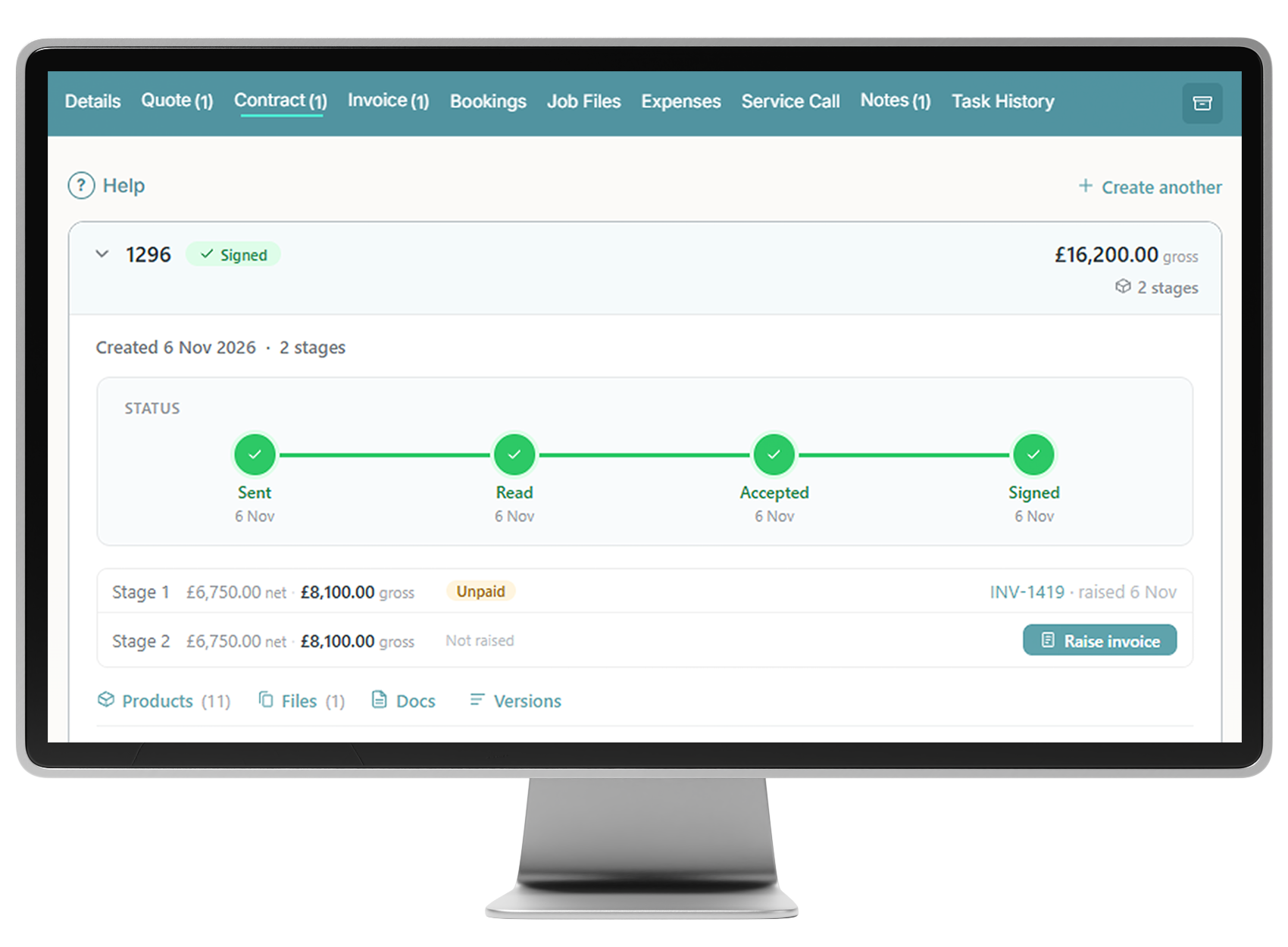
Open a customer’s T-card to see their details, documents, bookings and job history. Whether you are answering a customer’s call or checking information before an installation, it is all held against the same job.
Create a T-card and its linked Job Manager in any of these four ways.
Add an appointment in the diary to start a customer’s job.
Create a new customer and begin their job record.
A submitted website enquiry creates a T-card for your team to follow up.
Create a new job for an existing customer, with its own T-card and Job Manager.
EXPLORE JOB MANAGER
Select a tab below to see how it works.
DETAILS
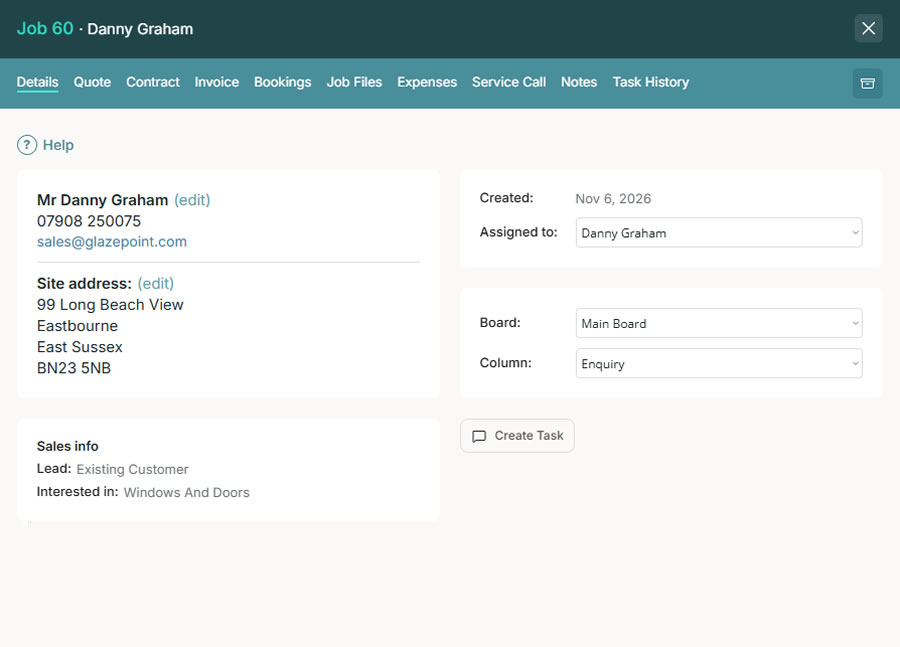
View the customer’s contact details and site address, assign the job to a team member and update its position on the Job Board.
QUOTE
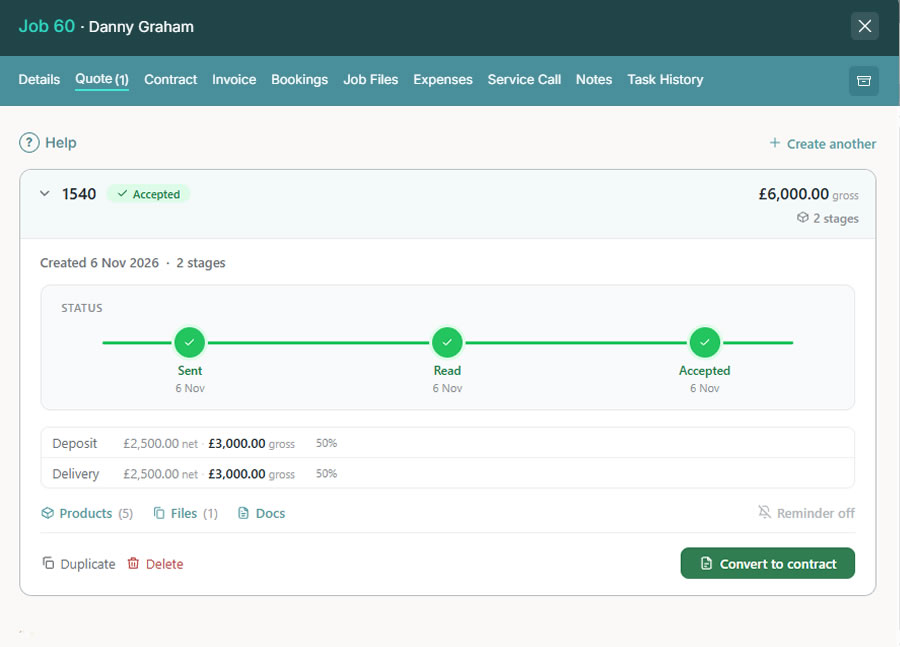
Create quotes and open the built-in window and door designer from the customer’s job. Keep each quotation together with the information behind it.
CONTRACT
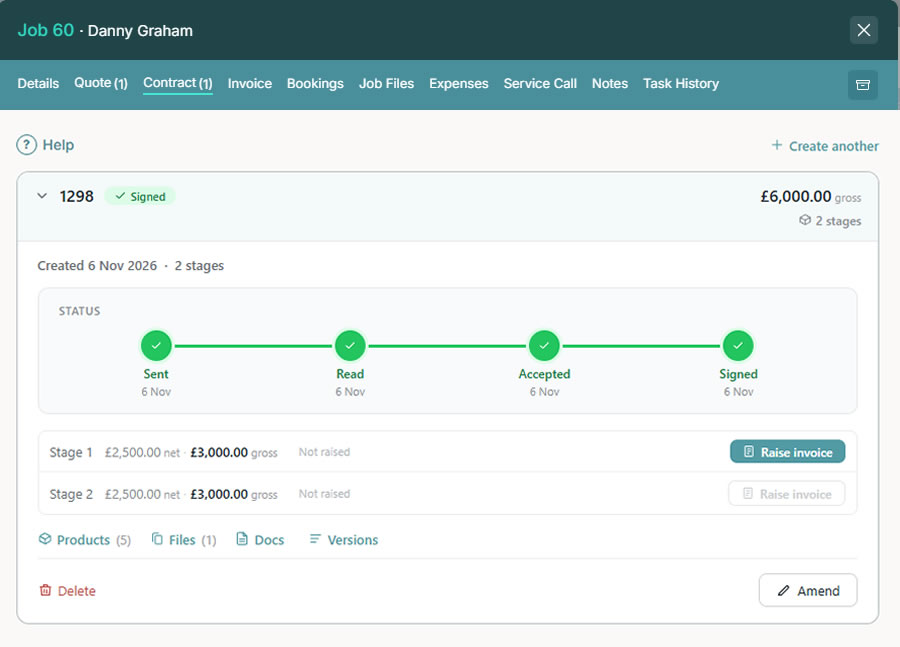
Manage contracts alongside the quotation and customer record. Follow progress through to digital signing, then raise invoices for the agreed payment stages.
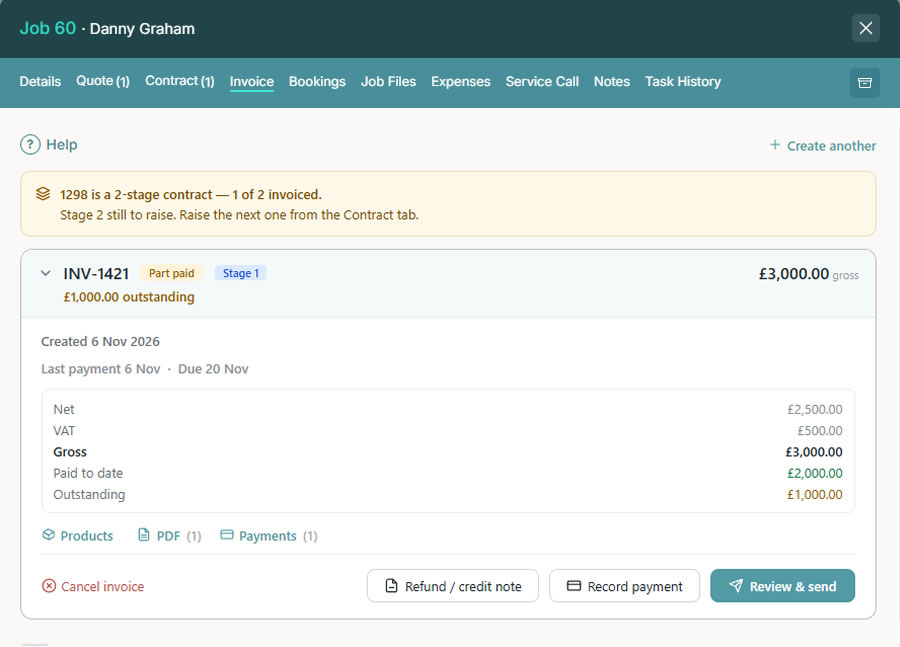
INVOICE
Keep invoicing within the same job record. See the value, payments received and remaining balance without losing the connection to the original contract.
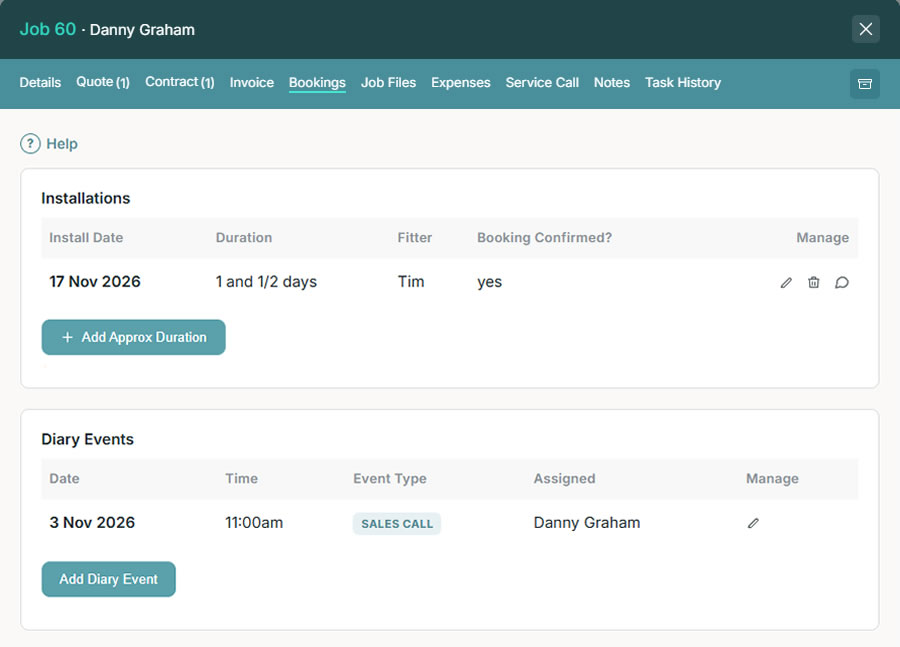
BOOKINGS
See the appointments and installation bookings that belong to this customer’s job. Give your team the context behind each visit.
JOB FILES
Store photographs, documents, PDFs and emails in folders against the job. Find what you need, share it externally and control which folders installers can see.

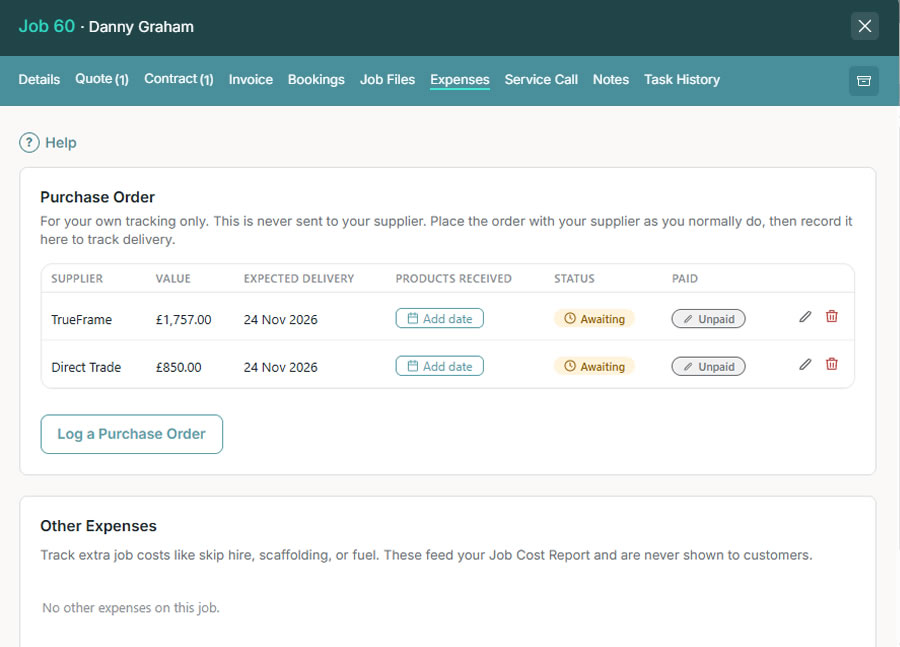
EXPENSES
Record manufacturer purchases and the extra costs involved in completing the work. These costs feed your Job Cost Report so you can review profitability.
Purchase orders here are internal records. Place orders with suppliers as usual.
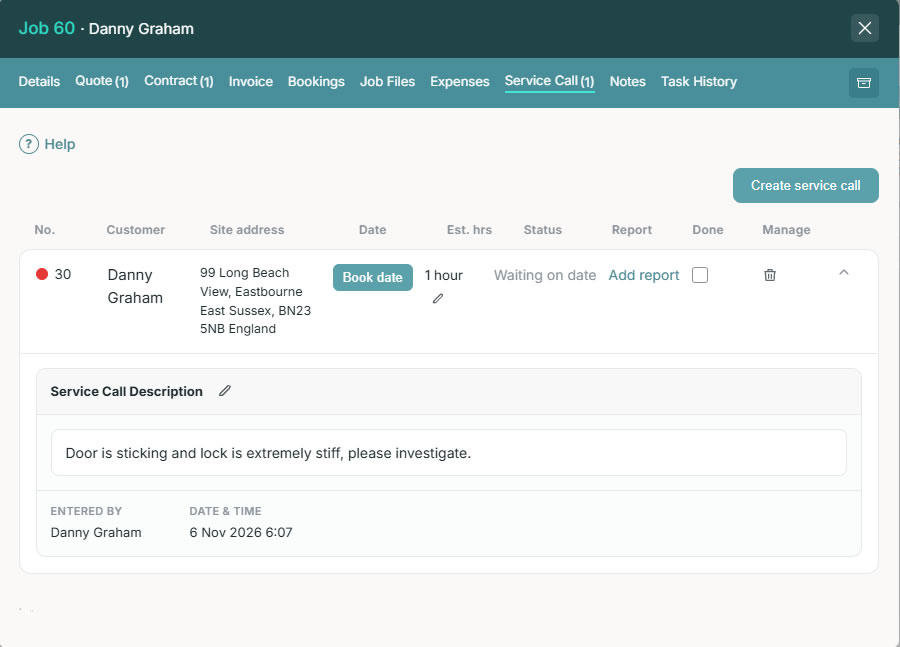
SERVICE CALL
Create and manage service calls against the original job, with its customer details, files and history available when you need them.
NOTES
Share job-specific notes with your team, from a customer request to information that helps the installation run smoothly.

TASK HISTORY
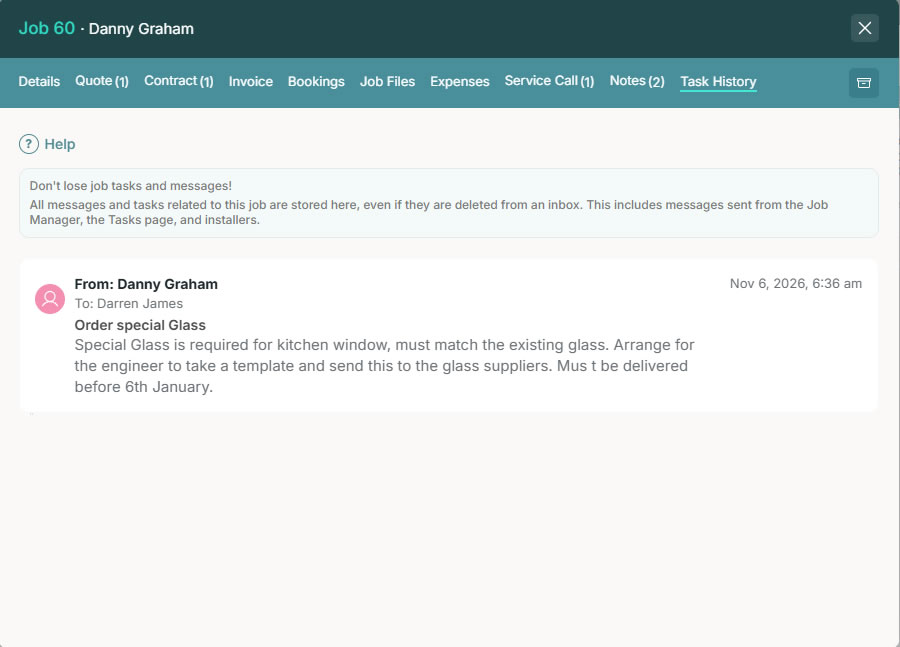
Keep a lasting record of the tasks and messages connected to the job, including those sent from Job Manager, the Tasks page and installers.
WORKING TOGETHER
Your team can find the job information they need, with access based on their role.
Assign the job, update its position on the Job Board and send tasks linked to the record. Customer requests and previous conversations stay with the work.
Installers can see customer details, permitted file folders, service calls, notes and task history. They can also upload photos, add notes and send tasks.
Keep separate jobs for the same customer, each with its own T-card, documents and progress. Particularly useful for trade and business customers with ongoing work.
CUSTOMER HISTORY
Archive a completed job to remove it from the Job Board while keeping the customer’s history available to search.
When the customer comes back, find the original details and reinstate the job to add a service call. The information you need is still there.
SEE GLAZEPOINT IN ACTION
Book a personalised demo and we’ll show you how to manage your customer’s job from the first enquiry through to aftercare.