Create your own boards
Set up multiple boards for the way you work, such as your main workflow, trade customers or service work.


 | info@glazepoint.com


GLAZEPOINT JOB BOARD
See instantly where every customer’s job is within your business, with easy access to all their information.
A live T-card board that updates automatically for your team, built into your Glazepoint CRM.
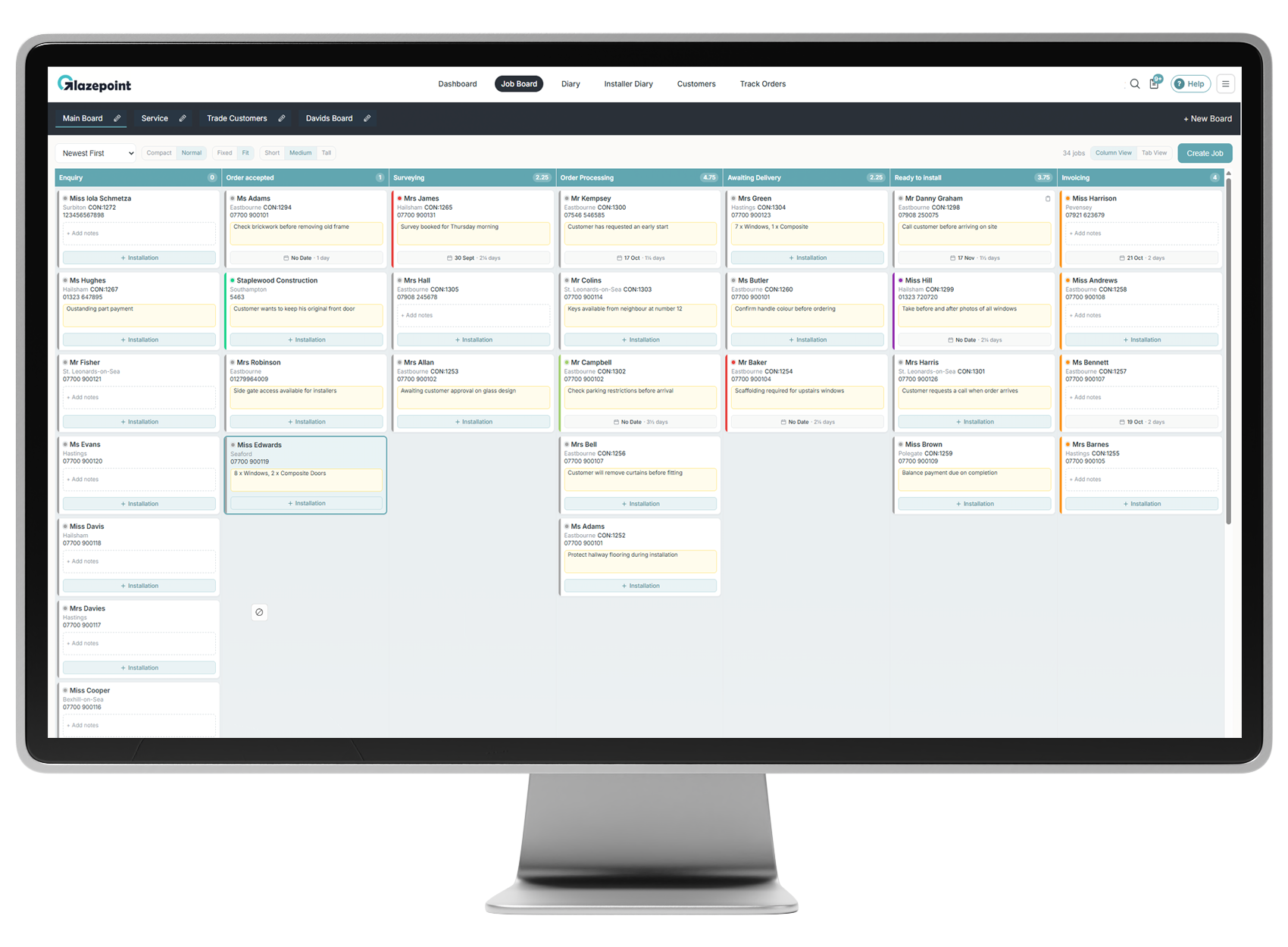
Follow each job from enquiry through to installation and invoicing. Create the boards and columns that suit your workflow, so your team can see what is happening without searching through individual records.
Set up multiple boards for the way you work, such as your main workflow, trade customers or service work.
Name your columns to reflect the stages a job moves through in your company.
Each user can choose which columns appear in their own view of the board.
Changes appear automatically for the team, without needing to refresh the page.
EXPLORE THE JOB BOARD
Compare the full Column View, a compact overview and the focused Tab View.
COLUMN VIEW
View your customer T-cards across the board, with contact details, notes and installation information visible on each card.

COMPACT VIEW
Switch to compact cards for a simpler view of the board. See customer names, colour markers and installation durations while keeping more jobs on screen.

TAB VIEW
Give the selected column the full width of the screen. Switch stages using the tabs at the top, or search for a job within that column.

USEFUL DETAILS ON EVERY T-CARD
Use colours, notes and installation details to give your team a useful overview of each job.
Change a T-card’s colour directly on the board. Your company decides what each colour means, whether it marks a booking, a material requirement or something else your team needs to spot.
Add a short note from the T-card to highlight a customer request or job detail. To edit the note, open the Details tab in Job Manager.
Book an installation from the T-card. Its date and duration then appear on the card, with the total installation days shown at the top of each column.
CONNECTED TO JOB MANAGER
Click a T-card to open its Job Manager, with the customer’s details, quotes, contracts, invoices, bookings, files and job history together.
When a job is ready for its next stage, select the destination board and column from the dropdowns in Job Manager’s Details tab.
SEE GLAZEPOINT IN ACTION
Book a personalised demo and we’ll show you how to organise your jobs, keep your team updated and access the information behind every T-card.